RPi incident report: SD card failure on 24 July 2025
On 24 July 2025, all services hosted on the Raspberry Pi 400 went offline. This was due to the Pi’s microSD card (which provides the root and boot filesystems) failing and producing I/O errors for write operations.
Timeline
All events happened on 24 July 2025. Times are quoted in the local timezone, Europe/London, which was BST (UTC+1) at the time.
Timeline of problems
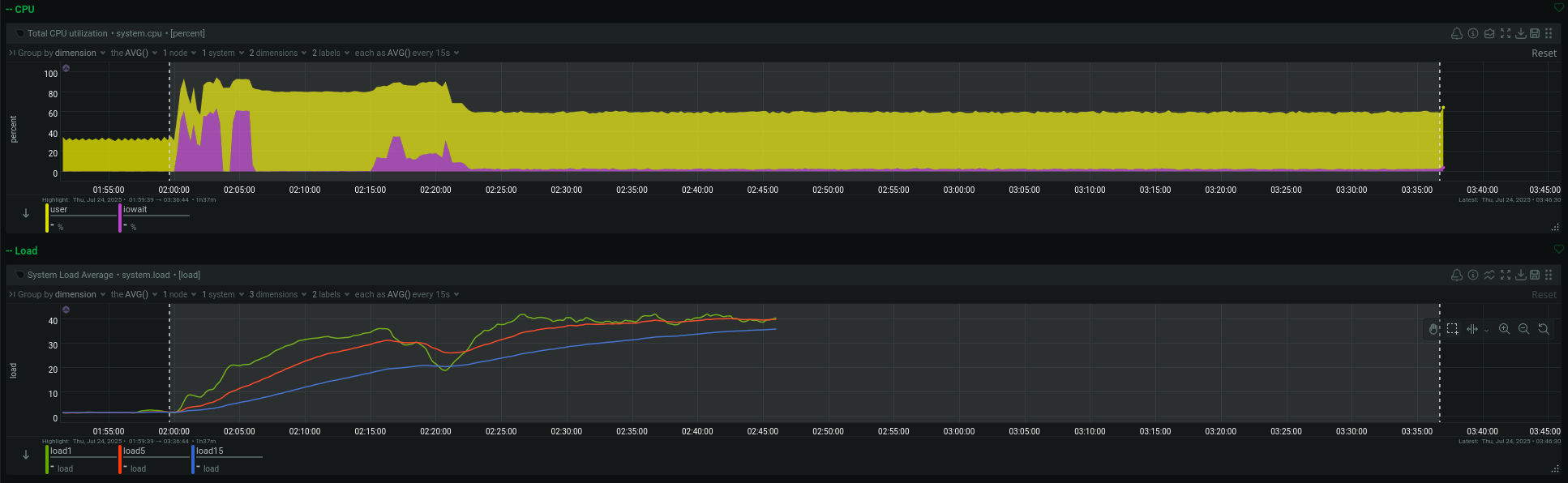
- 02:00:00 – CPU usage becomes abnormally high, going from around 35% to 100%. It remains at 100% until metrics became unavailable.
- Note: some backups are scheduled to run at 02:00, so that almost certainly triggered the CPU spike.
- Normally, CPU usage spikes to between 80%–100% while these backups are being created, but only for about 5 minutes or less.
- 02:00:00 – Disk utilisation rises to around 48%, consistent with normal disk usage during backups.
- 02:15:12 – Disk backlog for the SD card peaks at 7 min 26 sec.
- 02:44 (01:44 UTC) – Monitoring from UptimeRobot detected that the Pi had stopped responding to HTTP requests. (Internal incident link)
- 03:37:39 – Disk utilisation rises to around 100%.
- Around 03:40 – Netdata metrics become unavailable
- This is almost certainly because the write errors prevented Netdata from writing to its database.
Timeline of troubleshooting
At around 12:00, I try to access Immich, and realise that the Pi is unresponsive. I attempt to troubleshoot by connecting my monitor to the Pi, but the monitor doesn’t even detect the Pi.
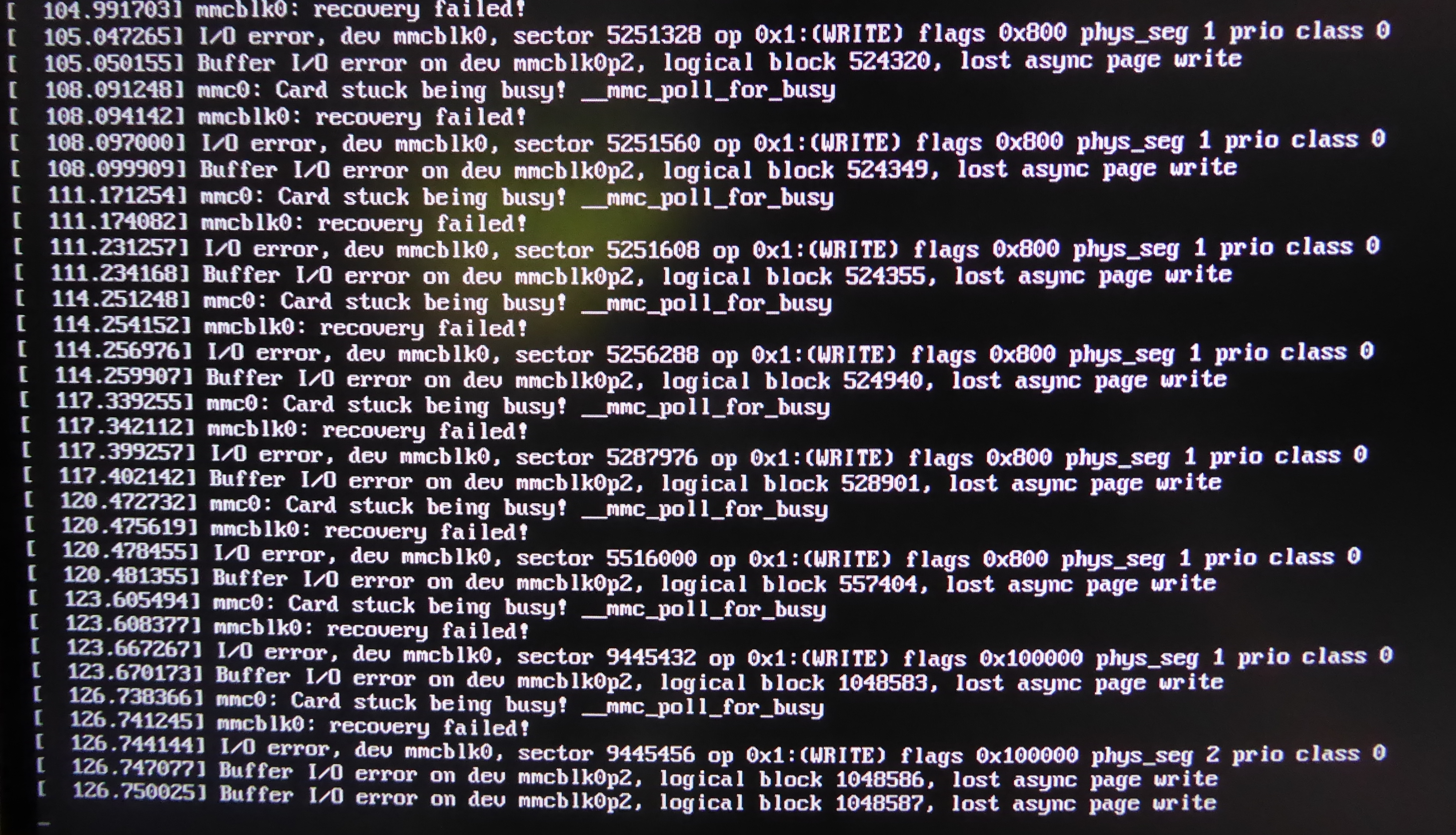
I restarted the Pi (forcing power off by holding Power for 10 seconds), and it soon started printing I/O error messages to the console.
Timeline of recovery
I used GNOME Disks to create a disk image from the failed SD card (under the assumption that read operations would still work correctly). I then used GNOME Disks to restore the image to a new SD card.
- I boot the Pi up with its new SD card
- 14:29 – NTP system time sync completes, giving the first correctly-timestamped journal entry after the incident
- 14:31:30 – Metrics become available in Netdata, indicating that the Pi has become operational again
- 14:33 – I check Immich and Home Assistant using a browser, and they are both operational
Conclusion
Two main factors allowed me to address the incident relatively quickly:
- I attempted to use Immich on the same day that the failure happened, so I noticed the problem somewhat quickly.
- The SD card was still readable and there hadn’t been any data corruption.
Had the first fact not been true, the Pi may have remained offline for a couple days or more, because I don’t have any notifications set up for when the Pi goes down. Had the second fact not been true, I would have had to manually re-deploy the OS and services to my Pi, a process which may have taken over one day and hasn’t been fully tested.
Lessons learnt
- Netdata is great
- SD cards are unreliable (but I already knew this)
- GNOME Disks is great
- Clonezilla doesn’t always work (I tried to clone the SD card using it, but it failed to copy the root partition)
- I should have automatic notifications set up for when there’s a catastrophic problem like this (and probably for slightly less major problems too)
Steps taken after the incident
- 24 July 2025 – Updated and extended the Raspberry Pi deployment guide, to provide more guidance in case I do need to re-deploy the Pi in the future.
- 30 July 2025 – Set up email alerts on UptimeRobot for “RPi internet access” and ping.slevel.xyz